I need a pickit
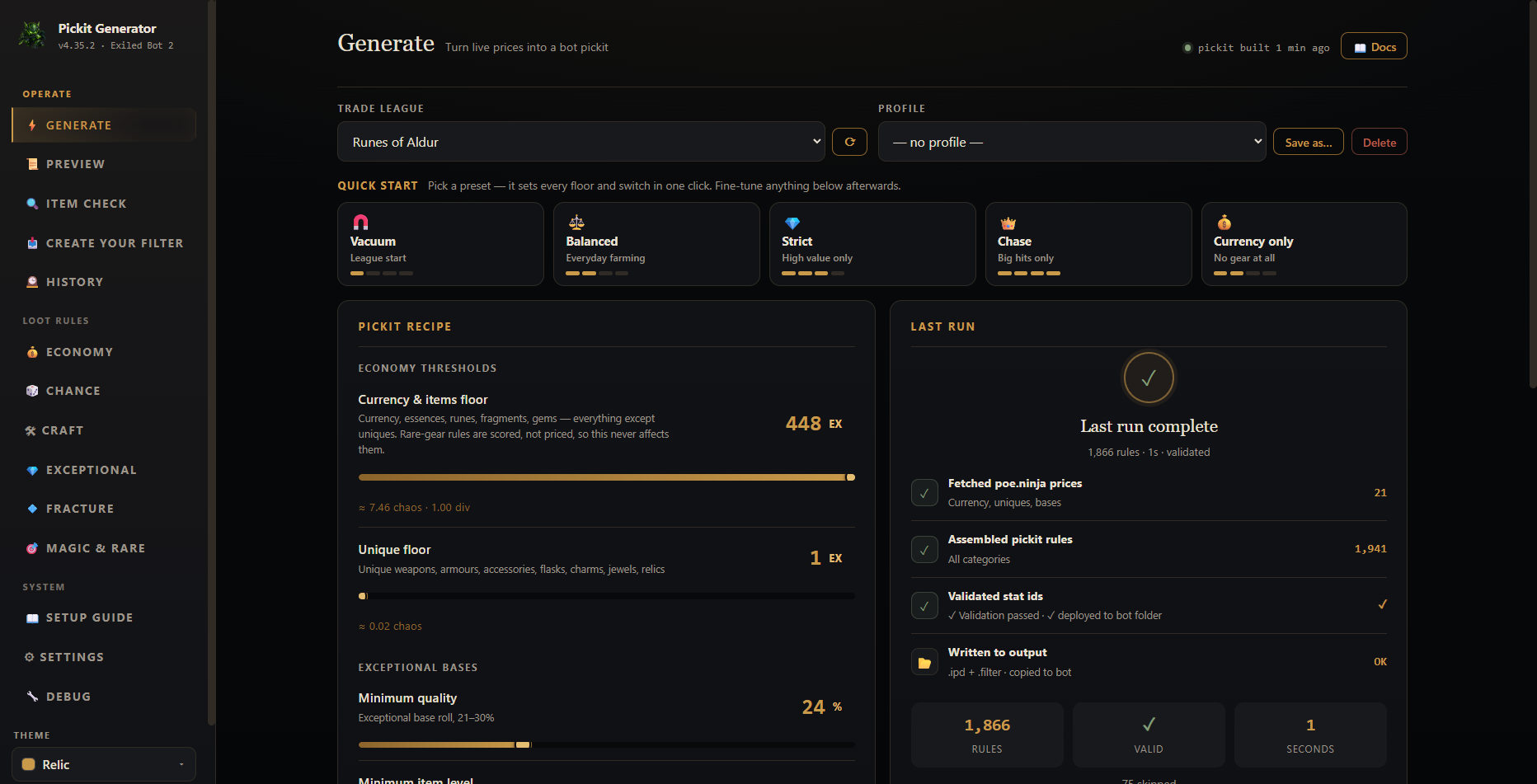
Choose your league and a loot preset, set the price floors you want, then Generate. The app writes and validates the .ipd for you.
Choose league→Pick preset→Generate
Show me the four steps
Turn live Path of Exile 2 prices into a validated Exiled Bot 2 pickit. Already have an .ipd? Translate it into an in-game loot filter with every unavoidable difference reported.
Your pickit files stay local. Imported pickits are read—not rewritten or uploaded.
Choose your league and a loot preset, set the price floors you want, then Generate. The app writes and validates the .ipd for you.
Drop any Exiled Bot .ipd into the window. Review the honest translation report, then save a Path of Exile 2 loot filter.
The first-run guide starts with Balanced defaults, then checks that your generated file and Exiled Bot profile point to the same place.
Fetch current Path of Exile 2 prices from poe.ninja.
Start with Vacuum, Balanced, Strict, Chase, or Currency only.
Adjust what is worth stopping for, or let Auto-floor help.
Write the files, validate the rules, and confirm the active profile.
The pickit tells Exiled Bot 2 what the generated rules select. The optional loot filter controls what you see on the ground in Path of Exile 2.
Used by Exiled Bot 2. Your pickit.ini needs to point to this generated filename.
Used by Path of Exile 2. Select it again under Options → Game → Filters after every save or regeneration.
See what was written, translated more widely, or could not be represented. This is a report, not a third output file.
// PoE 2 pickit — generated from live poe.ninja prices
[Type] == "Divine Orb" # [StashItem] == "true"
[Type] == "Stellar Amulet" && [Rarity] == "Normal"
  && [ItemLevel] >= "82" # [StashItem] == "true"
[Category] == "Waystone" && [WaystoneTier] >= "10"
  # [StashItem] == "true"
Create your filter reads any Exiled Bot pickit and translates its rules into an in-game loot filter. When the game cannot express a bot-only condition, the report tells you exactly what happened.
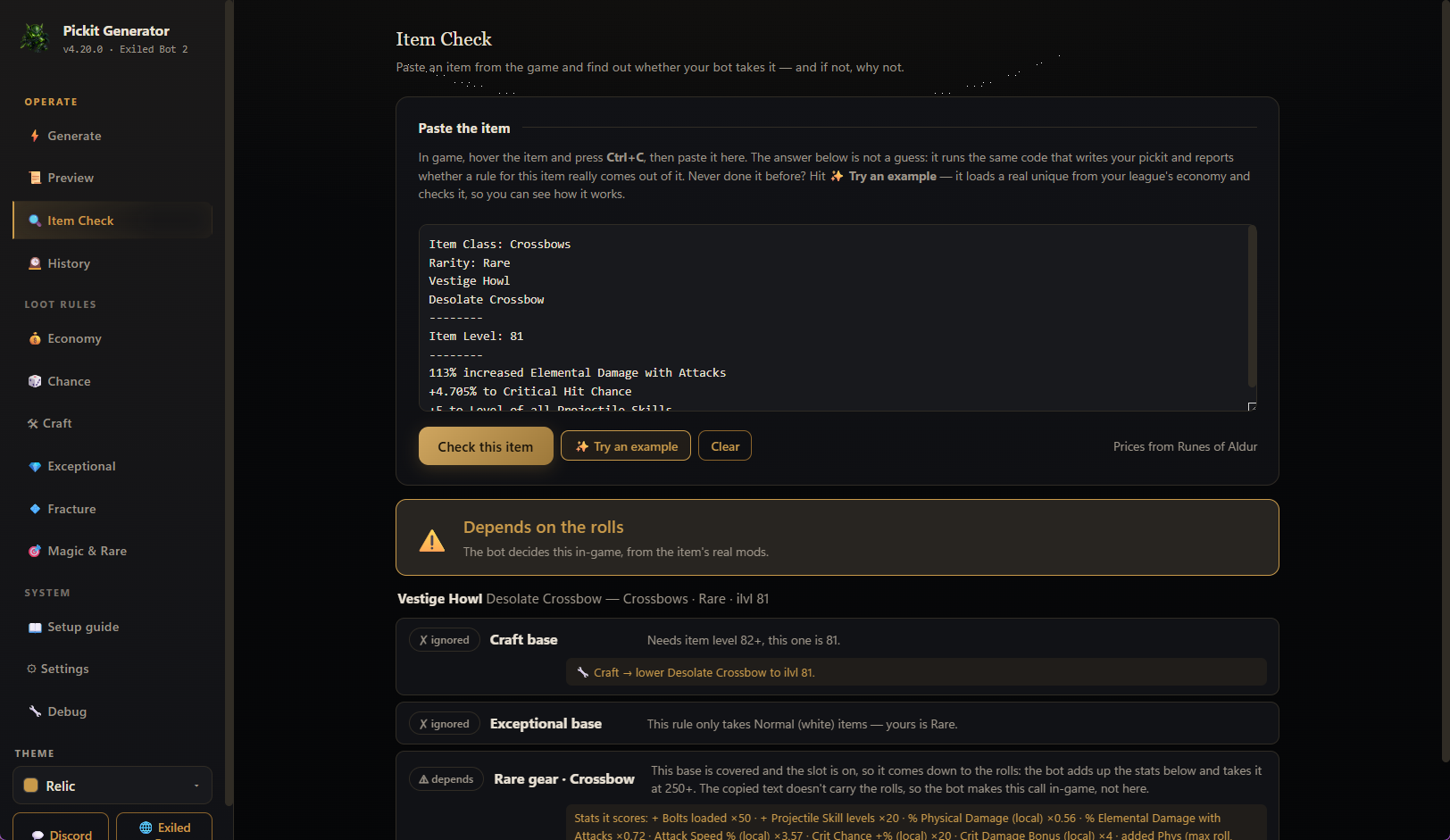
Hover an item in Path of Exile 2, press Ctrl+C, then paste it into Item Check. It shows the deciding rule and a practical next step.
Item Check runs the same generator that writes the .ipd and shows the actual emitted line. With the same settings, the tab and generated pickit cannot disagree.
No game-account access, no pickit-file uploads, and no silent edits to a pickit you brought with you.
Imported pickits are read locally and generated output stays on your PC.
Invalid names are excluded and reported. Bot-only conditions may be shown wider, and every unavoidable difference is listed.
Rotating backups protect generated output before files are replaced.
active_profileA mismatch can make Exiled Bot read an older pickit. The connection check verifies it.
After every save or regeneration, choose the optional .filter again under Options → Game → Filters.
The community app is unsigned. The source, build workflow, and SHA-256 checksum are public.
 v4.35.2Current release · 16 July 2026
Three same-day releases introduced the converter, made it faster to use, then hardened it with two automated audits and a live-app sweep.
No. It is a generator for Exiled Bot 2 pickit files and optional Path of Exile 2 loot filters.
Yes. Drop any Exiled Bot .ipd into the app. The source stays read-only, and the report explains anything the game filter cannot express exactly.
Item Check reports what the generated pickit says. Run the connection check and confirm that pickit.ini points to that same generated file.
It starts on for a clean filter, and gold is never hidden. Turn it off while botting because hidden labels can stall pickup.
The app is not code-signed. Its source, build workflow, and SHA-256 checksum are public, so the downloaded executable can be verified.
Start with current league prices or bring an .ipd you already trust.